
Key Takeaways
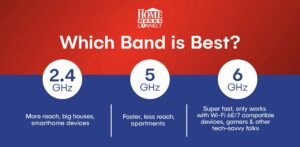
Wi-Fi bands are frequencies over which data is transmitted. Your Wi-Fi can be set up on either 2.4 GHz, 5 GHz, or 6 GHz. Each frequency has its own benefits. The 2.4 GHz band has greater range and is good for large houses and for operating smart home devices. 5 GHz is faster, but has less reach, so it works well in smaller spaces like apartments. 6 GHz is super fast, but only works with Wi‑Fi 6E/7 compatible devices. The best Wi-Fi band will depend on your environment and needs.
Table of Contents
- What are Wi-Fi Bands
- What are the differences between 2.4 GHz, 5 GHz, and 6 GHz?
- What is a 2.4 GHz Wi-Fi band?
- What is a 5 GHz Wi-Fi band?
- What is a 6 GHz Wi-Fi band?
- What is Wi-Fi Congestion?
- Which Wi-Fi Band is Best?
What are Wi-Fi Bands?
You may have seen Wi-Fi bands when selecting a Wi-Fi network in someone’s home, when you see the Wi-Fi network name, followed by 2.4, 5, or 6 GHz. Perhaps you automatically thought the higher numbers were the best option, but that’s not always true. Wi-Fi bands are frequencies, like radio frequencies, over which data can be transmitted. Each frequency has strengths and drawbacks. It often depends on how and where you use Wi-Fi. Read on as we demystify Wi-Fi bands once and for all.
What are the differences between 2.4 GHz, 5 GHz, and 6 GHz?
What is a 2.4 GHz Wi-Fi band?
2.4 GHz Wi-Fi bands are the best for connecting over a long reach, such as in a big house. It is able to connect through obstacles (like walls) better. Most appliances and devices can connect to a 2.4 GHz band. However, 2.4 GHz usually provides slower Wi-Fi speeds and is more prone to interference from things like microwaves and Bluetooth connections.
What is a 5 GHz Wi-Fi band?
A 5 GHz Wi-Fi band provides higher speeds than a 2.4 GHz band, but has a shorter reach and is less capable of extending through walls and other obstacles. A 5 GHz Wi-Fi band is a good option for streaming, online work, and gaming, especially in smaller spaces like apartments.
What is a 6 GHz Wi-Fi band?
6 GHz is the newest Wi-Fi frequency. It provides ultra-fast speeds and low latency, but it’s not accessible from all devices. 6GHz Wi-Fi is only accessible with a Wi‑Fi 6E/7 compatible device. It is best for gaming, VR, and other activities that use a lot of bandwidth. HomeWorks Connect does not currently offer 6 GHz, but we’re working on being able to offer it in the future.
What is Wi-Fi Congestion?
Wi-Fi congestion occurs when too many devices try to use the same wireless network on the same Wi-Fi band at the same time. This can slow down Wi-Fi speed and increase lag. The 2.4 GHz band tends to get the most congested, especially at home, because home smart devices use this band. 5 GHz and 6 GHz bands have the least congestion.
Which Wi-Fi Band is Best?
No Wi-Fi band is necessarily better than any other, but there are some cases when one is the better option than another. For example, some devices, like smart thermostats, garage doors, baby monitors, and appliances will only connect to a 2.4 GHz Wi-Fi band. And 6 GHz only works with Wi-Fi 6 compatible routers. If you are connecting to Wi-Fi in a big house or property, 2.4 GHz is likely your best option. Outside of these restrictions, we usually recommend connecting to a 5 GHz band whenever possible. HomeWorks Connect uses the GigaSpire BLAST u6.2. This router is a next-generation smart home system that has dual band support, working behind the scenes to select the best Wi-Fi band based on signal strength and location in the home.
Pairing high-speed fiber internet with the right Wi-Fi band will help you experience the fastest, most reliable internet in rural Michigan. Find out if high-speed internet is available in your area today at join.homeworksconnect.org